I purchased a membership. How do I get started?
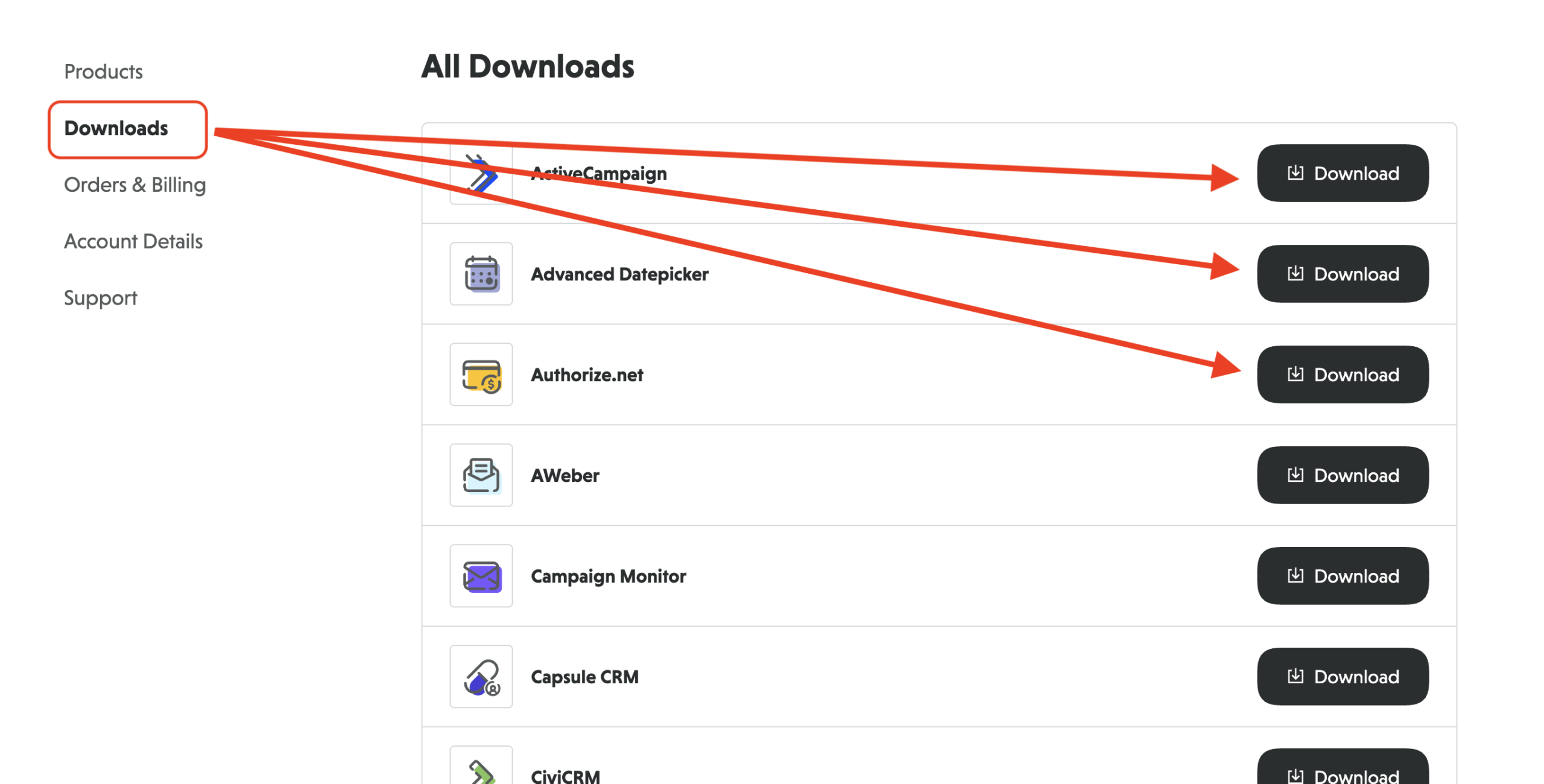
Ninja Forms memberships each include bundles of add-ons. You can find and download your new add-ons in your NinjaForms.com Account dashboard area under the Downloads tab.
Within that section you’ll find each add-on included in your membership. Just click the Download Now button on the add-on you want to download.
Installing any add-on is the same as installing Ninja Forms. You also must have Ninja Forms Core (the free plugin) installed to use your add-on(s). Installation instructions and Core download links can be found in our Installing Ninja Forms documentation.
Once your add-on(s) is/are installed, be sure to activate your license for it so that you can receive expedited support and automatic updates!
I purchased an individual add-on. How do I download and install it?
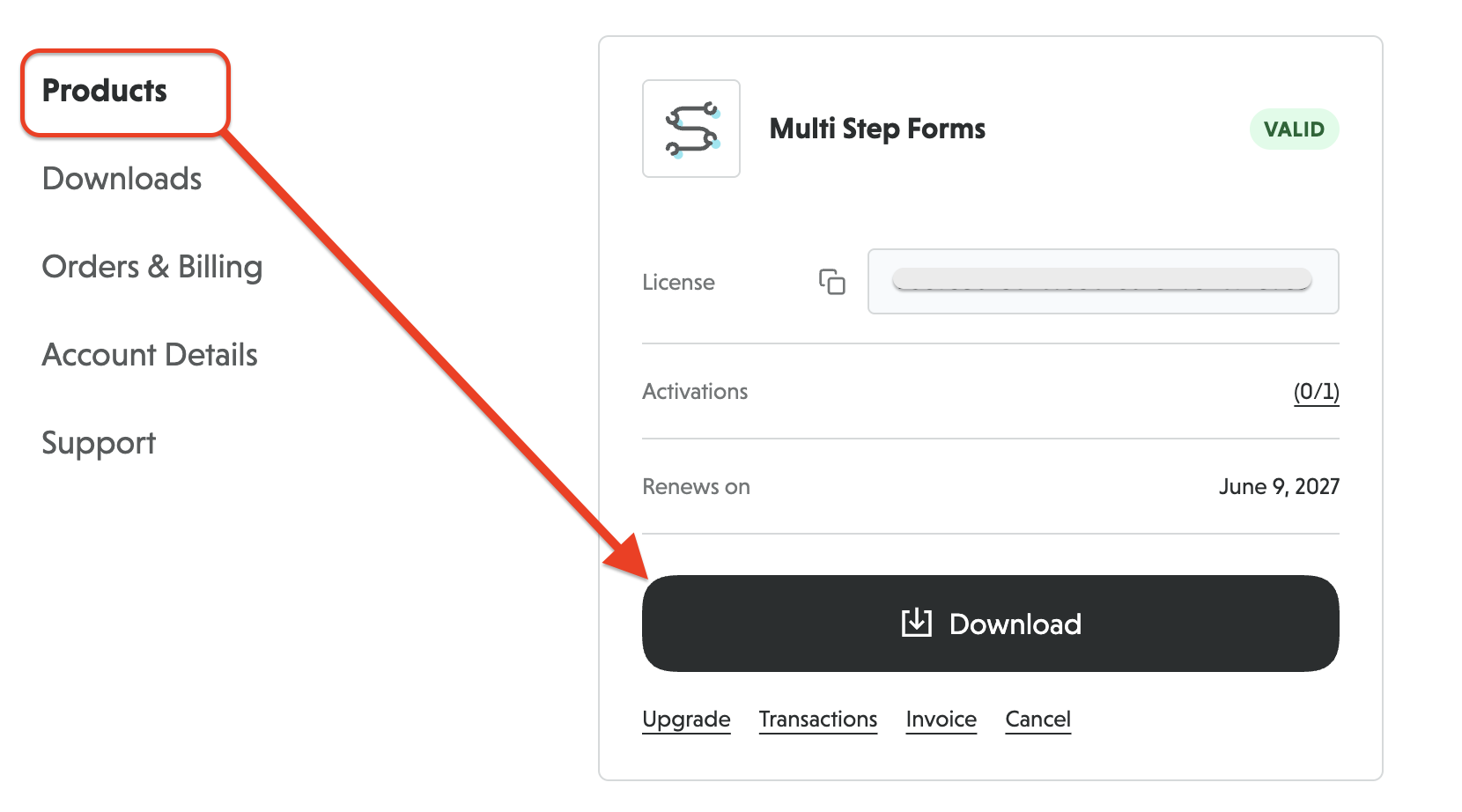
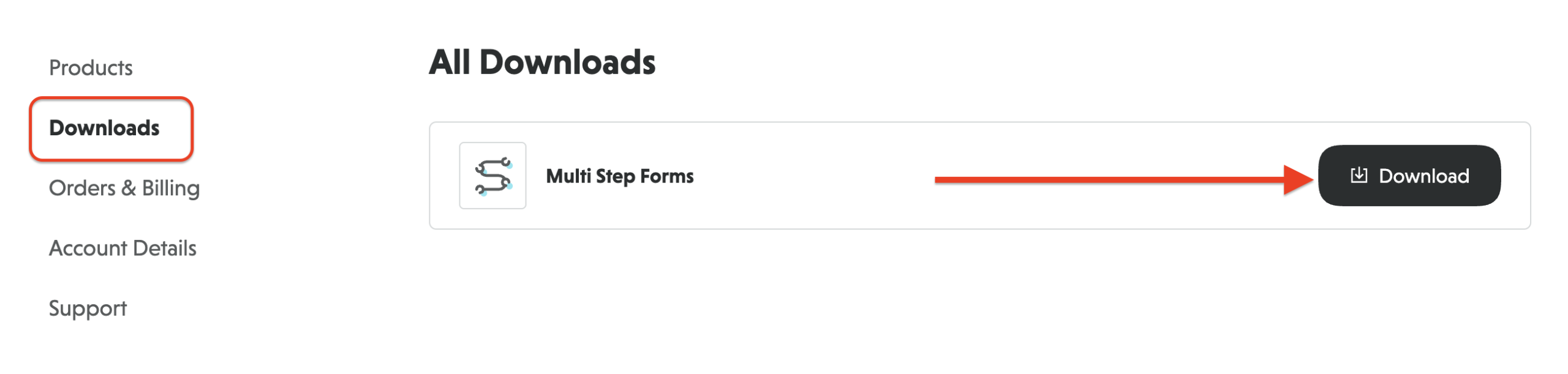
Add-ons purchased individually can be found in your NinjaForms.com Accounts area under the Products tab or under the Downloads tab.
Under the Products tab, click the Download button for the respective add-on you are wishing to download.
Under the Downloads tab, all your available add-on plugin files will be listed. Locate the one you wish to download. Click Download.
Installing any add-on is the same as installing Ninja Forms. You also must have Ninja Forms Core (the free plugin) installed to use your add-on(s). Installation instructions and Core download links can be found in our Installing Ninja Forms documentation.
Once your add-on(s) is/are installed, be sure to activate your license for it so that you can receive expedited support and automatic updates!