The Kit add-on needs to be installed and activated to see the features mentioned in this this documentation.
Connect to your Kit Account to Ninja Forms
In order to enable communication between your WordPress site and Kit (formerly known as ConvertKit) you need an API key to connect both system. The Kit API Key is available in the Kit Account Settings Page.
When in your Kit Account, click Developer and copy the V3 API key.
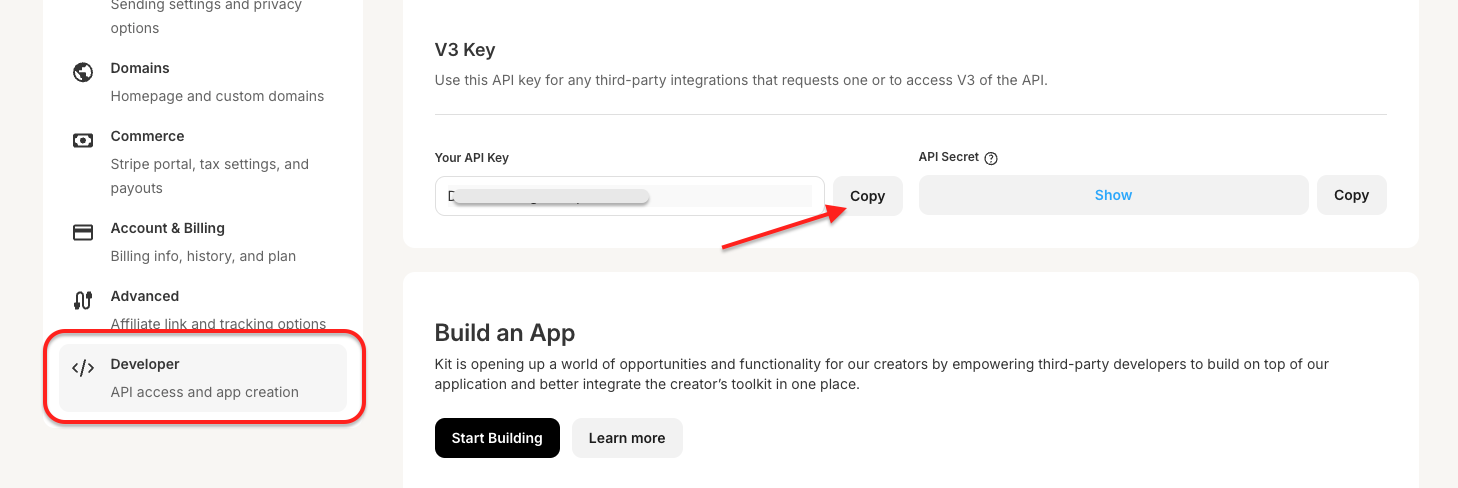 Then go to Ninja Forms > Settings > Kit and paste in your API key.

Send your Form Data to Kit
To add the action to any form, from the Emails & Actions tab click Add New Action and then the Kit action from inside the Actions Window that opens.

Configure the Kit action
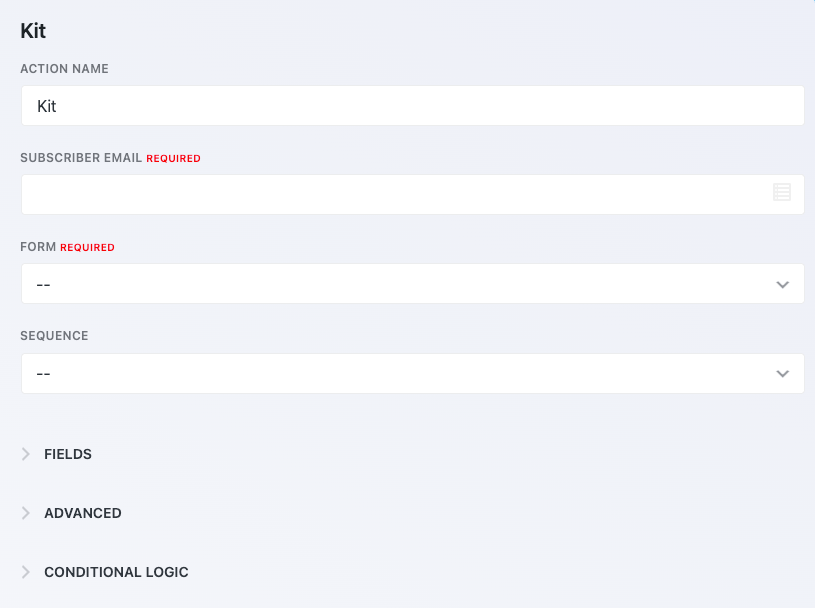
To configure the Kit action within your form, you will require the subscriber email (using the email field you have placed in your form) and a form (a dummy form created in your Kit account).
[su_label type=”info”]Version 3.1.1 [/su_label]
of Kit gives you the abiity to add multiple actions to a single form, each connecting to different Kit accounts! If conditional logic is activated, then these actions can be used to connect to different accounts conditionally.
[su_accordion]
[su_spoiler style=”fancy” title=”Subscriber Email” open=”yes”]
Subscriber Email – This field is [su_highlight background=”#fffc99″]required by Kit[/su_highlight] to save the data in their system. You will want to connect this field to an email field on your form so users can enter their email addresses.
[/su_spoiler]
[su_spoiler style=”fancy” title=”Form”]
Form – This field is [su_highlight background=”#fffc99″]required by Kit[/su_highlight] to save data in their system. It allows you to choose the Kit form you would like the user’s information added to.
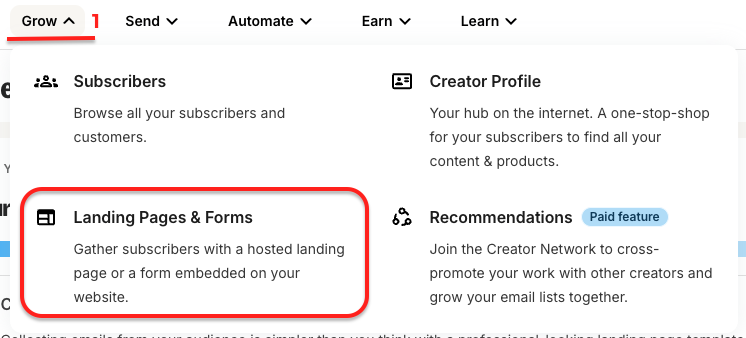
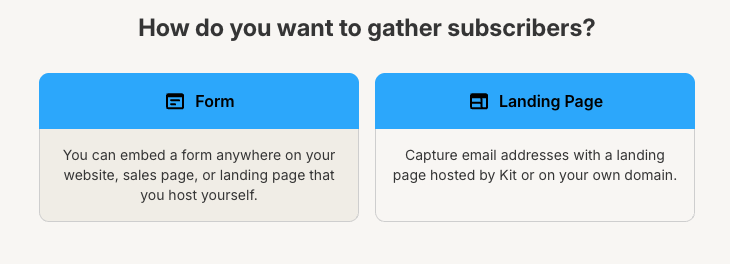
To create a form in Kit, click Grow, then click on Landing Pages & Forms.
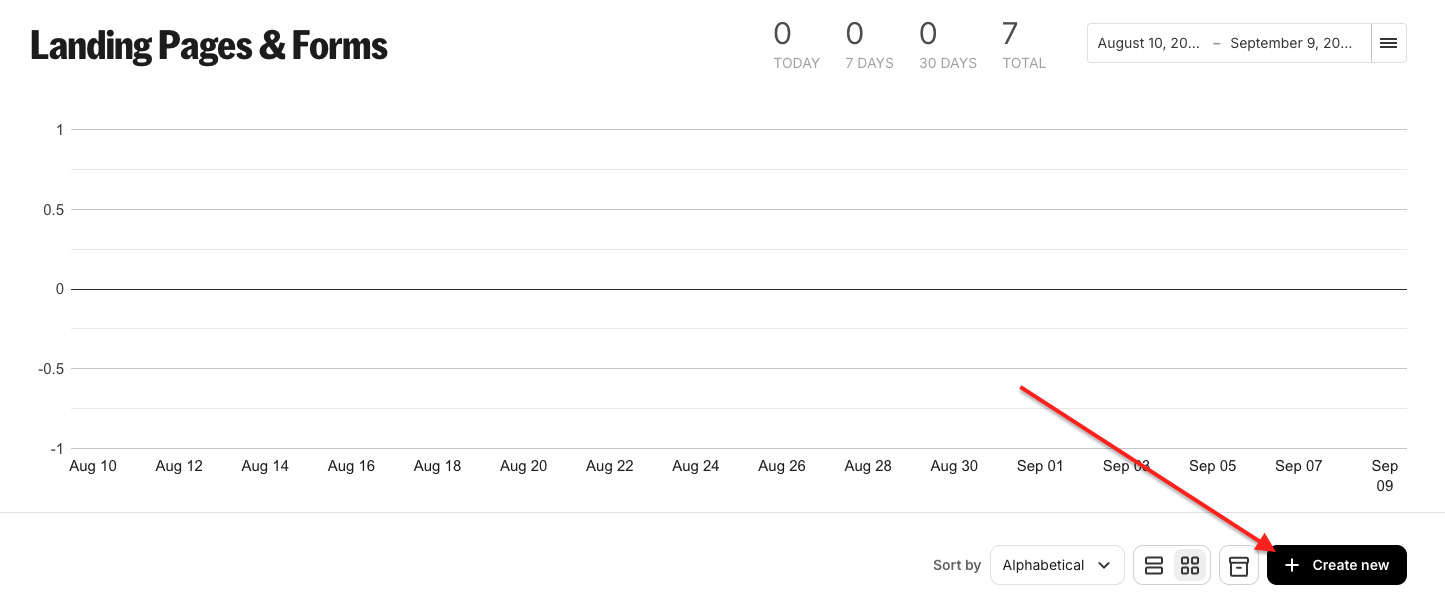
 Click Create New.
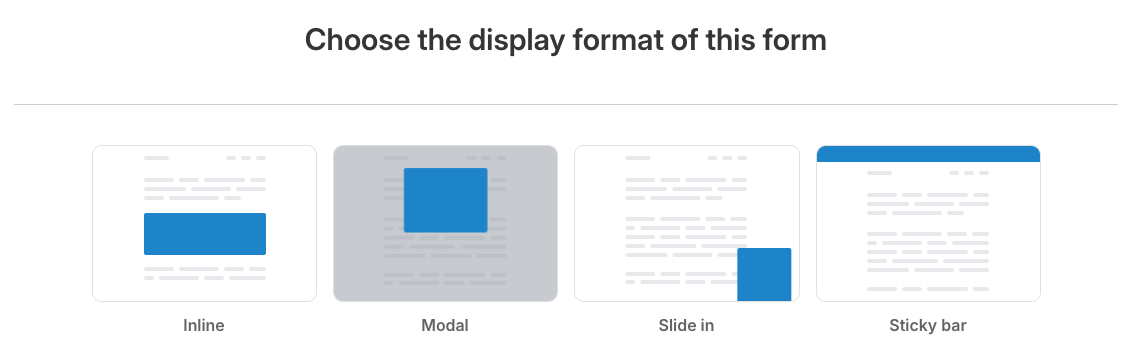
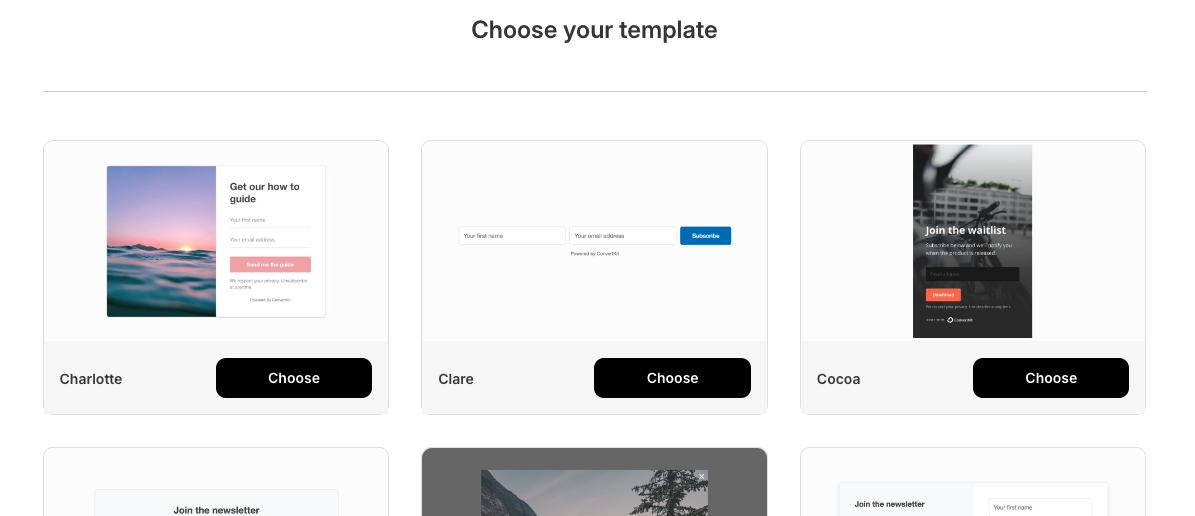
Select Form and then choose any display format and template. It doesn’t really matter, as it just for the integration to recognize the account, as you will be using a Ninja Form.
 Give the form a memorable name and click Publish.
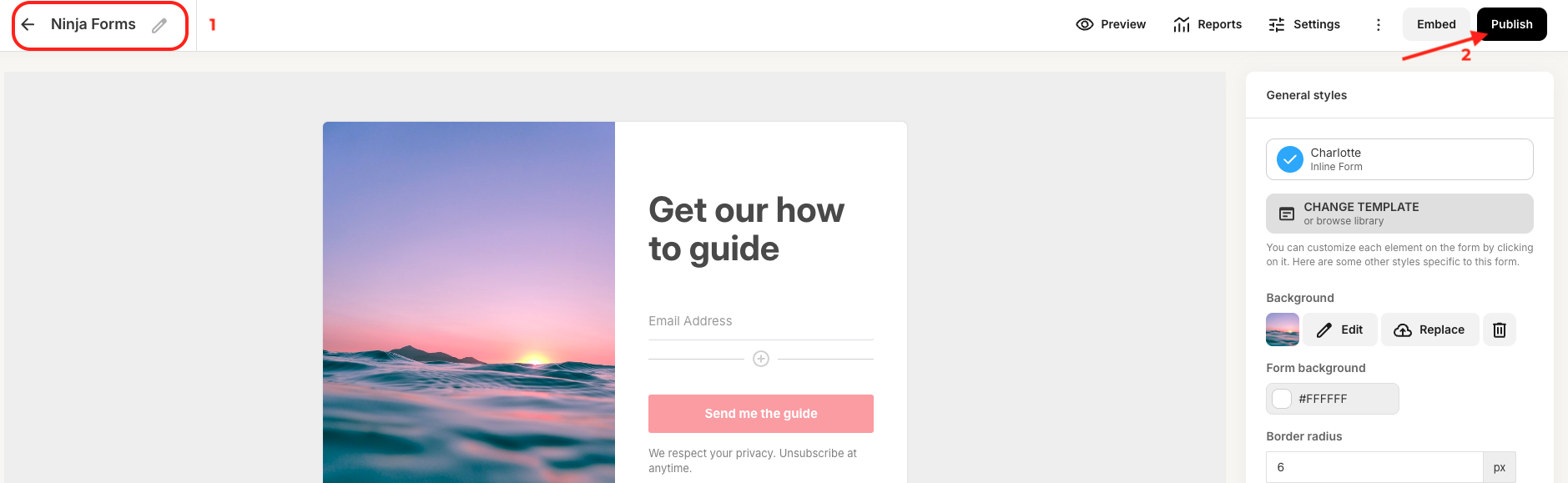
Once the dummy form is created in Kit, you can return to the Ninja Forms builder to configure the Kit action.
[/su_spoiler]
[su_spoiler style=”fancy” title=”Sequence”]
Sequence – The Kit Sequence is the sequence that you would like Kit to execute when the submission is made.
[/su_spoiler]
[su_spoiler style=”fancy” title=”Tags”]
Tags – Tags in Kit are further ways to segment and identify Subscribers in Kit.
[/su_spoiler]
[su_spoiler style=”fancy” title=”Fields”]
Fields – Under the Fields section, you can associate form submission data with additional Kit information.
[/su_spoiler]
[su_spoiler style=”fancy” title=”Advanced” open=”yes”]
Advanced
To enable navigate to Ninja Forms > Settings > Advanced Settings > tick ‘Dev Mode‘. Enabling this feature will give you access to the Advanced settings within Ninja Forms.
API Key
Add an additional Kit API key in conjunctions with conditional logic to connect your form with more than one Kit account.
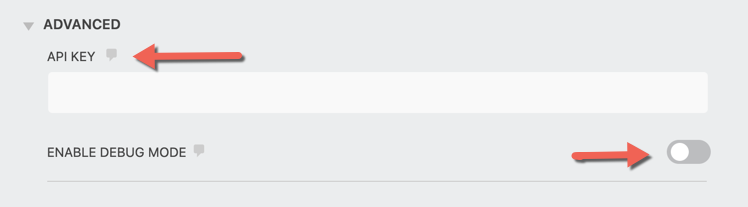
Debug Mode
Turn on debugging to see that data is being sent to Kit through their API.
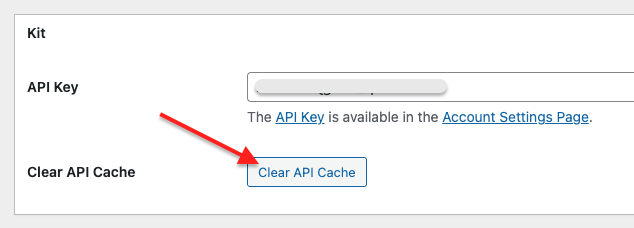
Encountering any issues or the form you created in Kit is not showing in the Ninja Forms action?
Please navigate to Ninja Forms > Settings and click Clear the API cache.
Once clicked, click Save Settings.
[/su_spoiler]
[/su_accordion]
[su_divider top=”no” divider_color=”#ccc” size=”8″ margin=”50″]
[su_box title=”Kit Tutorials & Blog Articles” style=”noise” box_color=”#eceff7″ title_color=”#EC494D” radius=”8″]
Proven Ways to Get More Newsletter Signups
[/su_box]