The CleverReach add-on needs to be installed and activated to see the features mentioned in this documentation.
Connect Ninja Forms to CleverReach
In order to enable communication between your WordPress site and Cleverreach, you need an access token to connect both systems.
Go to Ninja Forms > Settings, and click the button Connect to CleverReach
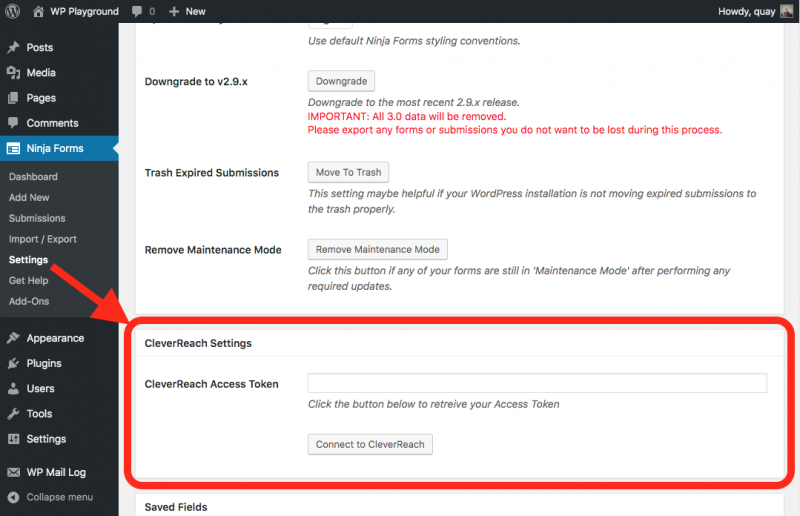
You’re going to be redirected to CleverReach, enter your credentials and receive an access token automatically.
Now save your settings.
Add a CleverReach action to your form
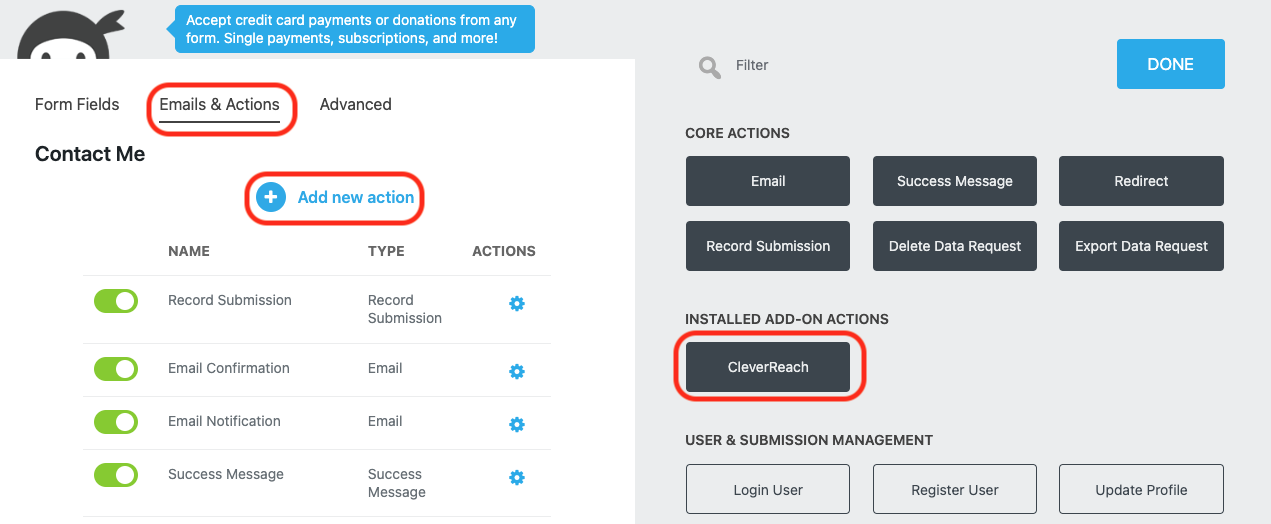
To add the action to any form, from the Emails & Actions tab click Add New Action and then the CleverReach action from inside the Actions Window that opens.
Configure the CleverReach action
Choose your subscriber list from the List dropdown.
Lists are always combined with their assigned CleverReach opt-in forms. <LIST NAME>:<FORM NAME>
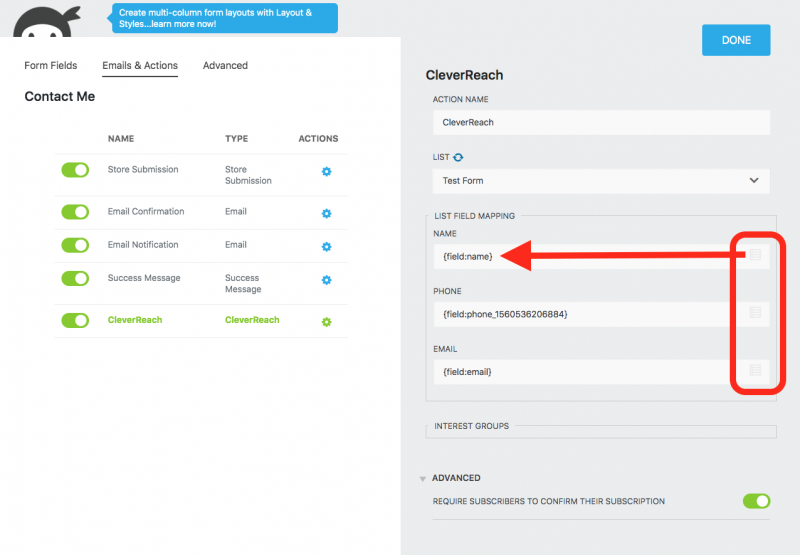
With your list selected, the fields and interest groups from your CleverReach list will populate below the list dropdown. You’ll need to map these fields to the corresponding fields on your Ninja Form using the merge tags for those fields via the merge tag icon on the right of each CleverReach field.
At the bottom of the page under the Advanced Settings, you can decide whether your users receive a confirmation mail (Double opt-in).
Click Done, save your form and you’re ready to collect subscribers.
Adding an opt-in checkbox to your form
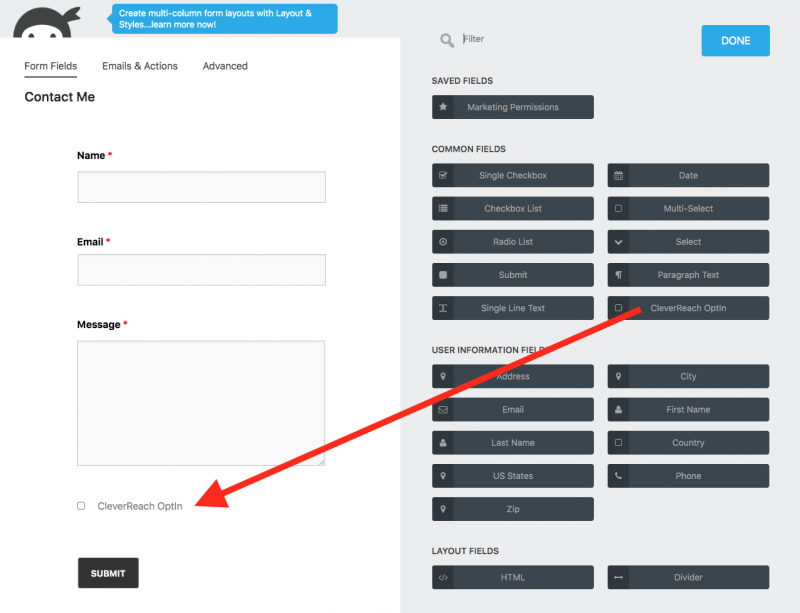
If you’re building a pure newsletter signup form it won’t be a problem to subscribe anyone who fills out the form to your list, but if you want to allow your users to subscribe to your campaign from any other form you’ll need a checkbox to give your users the chance to choose.
Simply add the CleverReach opt-in field to your form like any other form field.
[su_divider top=”no” divider_color=”#ccc” size=”8″ margin=”50″]
[su_box title=”CleverReach Tutorials & Blog Articles” style=”noise” box_color=”#eceff7″ title_color=”#EC494D” radius=”8″]
Proven Ways to Get More Newsletter Signups
[/su_box]